.png)
1. Inbound Page
1.1 Dashboard
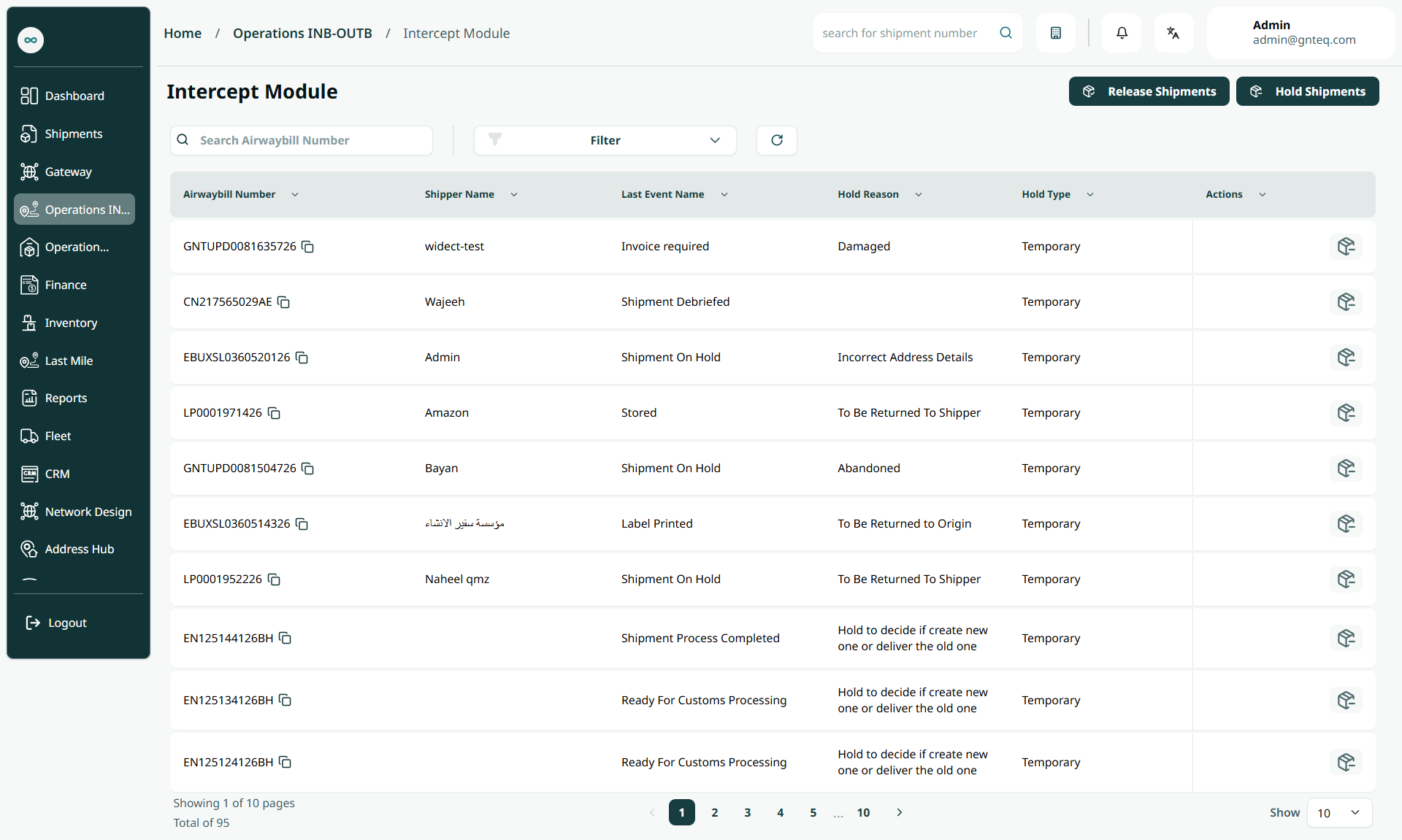
The user can release or hold shipments by navigating to the Intercept screen in the system via the Operations module as follows:
-
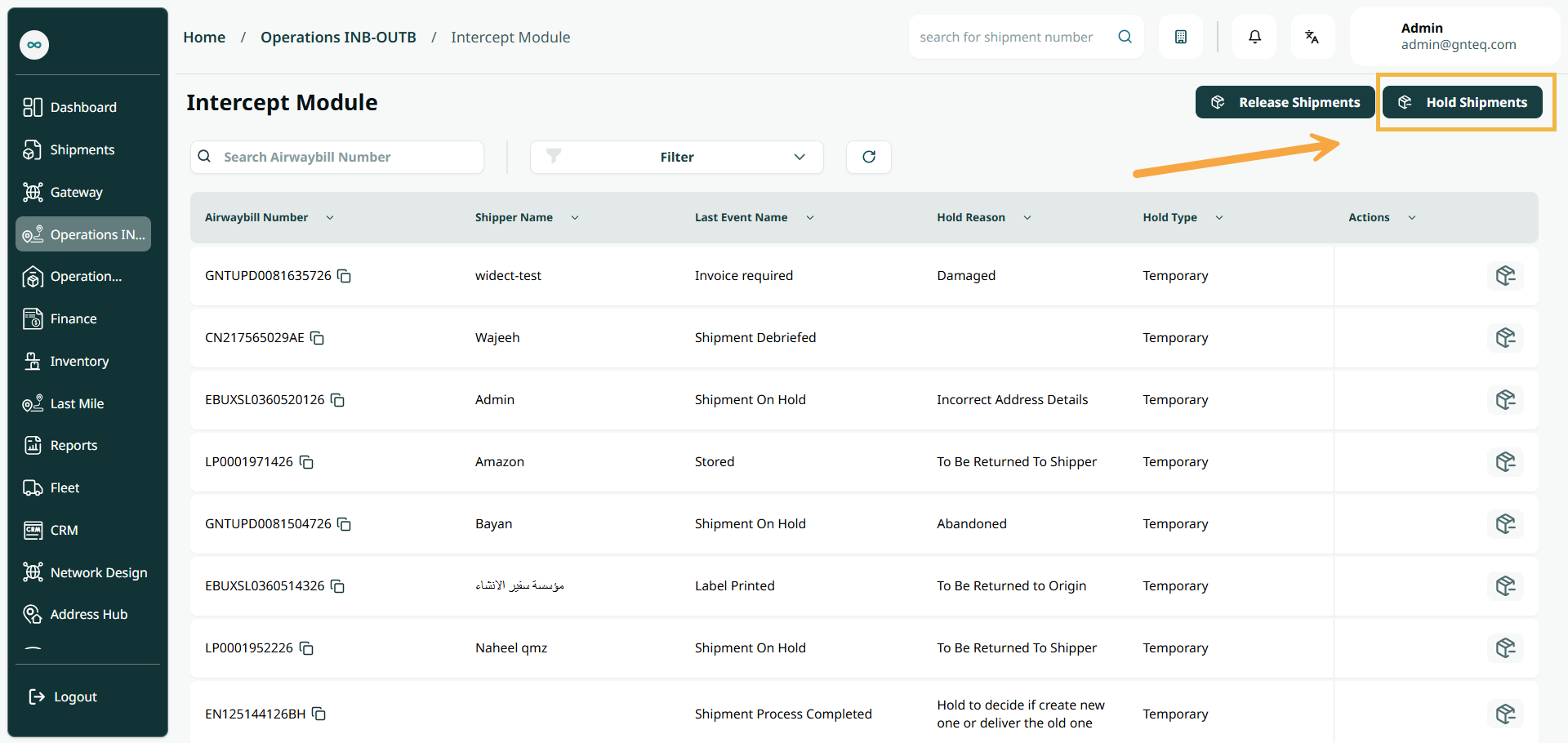
Hold Shipments: The user can add pending shipments by clicking Hold Shipments.
-
Release Shipments: The user can release pending shipments by clicking Release Shipments.
-
Search: The user can search for shipments by entering the shipment tracking number.
-
Rows Per Page: The user can select the number of items to display on each page.
-
Actions: By clicking this button, the user can release the shipment.
1.2 Hold Shipment
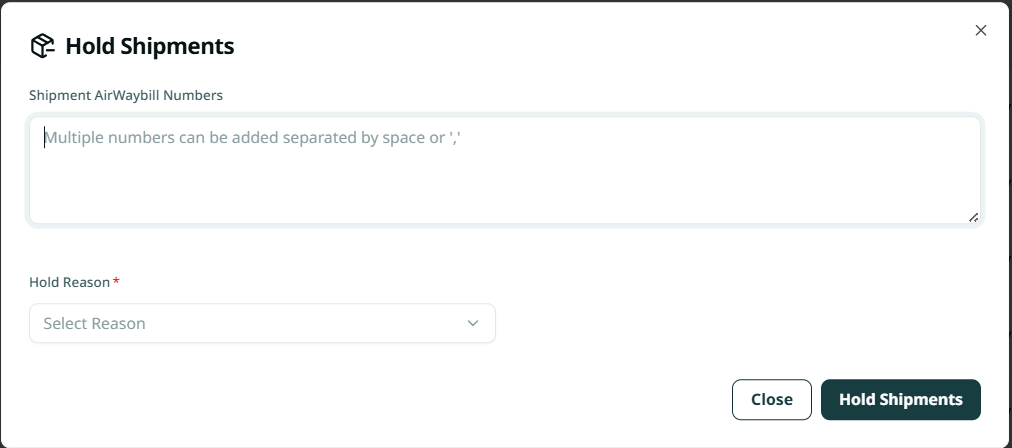
The user can stop shipments due to damage or issues by navigating to the Intercept screen via the Operations module and clicking Hold Shipments button as follows:
-
Shipment Numbers: This field represents the numbers of the shipments to be held.
-
Hold Reason: This field represents the reason for holding the shipments.
By clicking Hold Shipments, the shipments will be successfully held.
1.3 Release Shipment
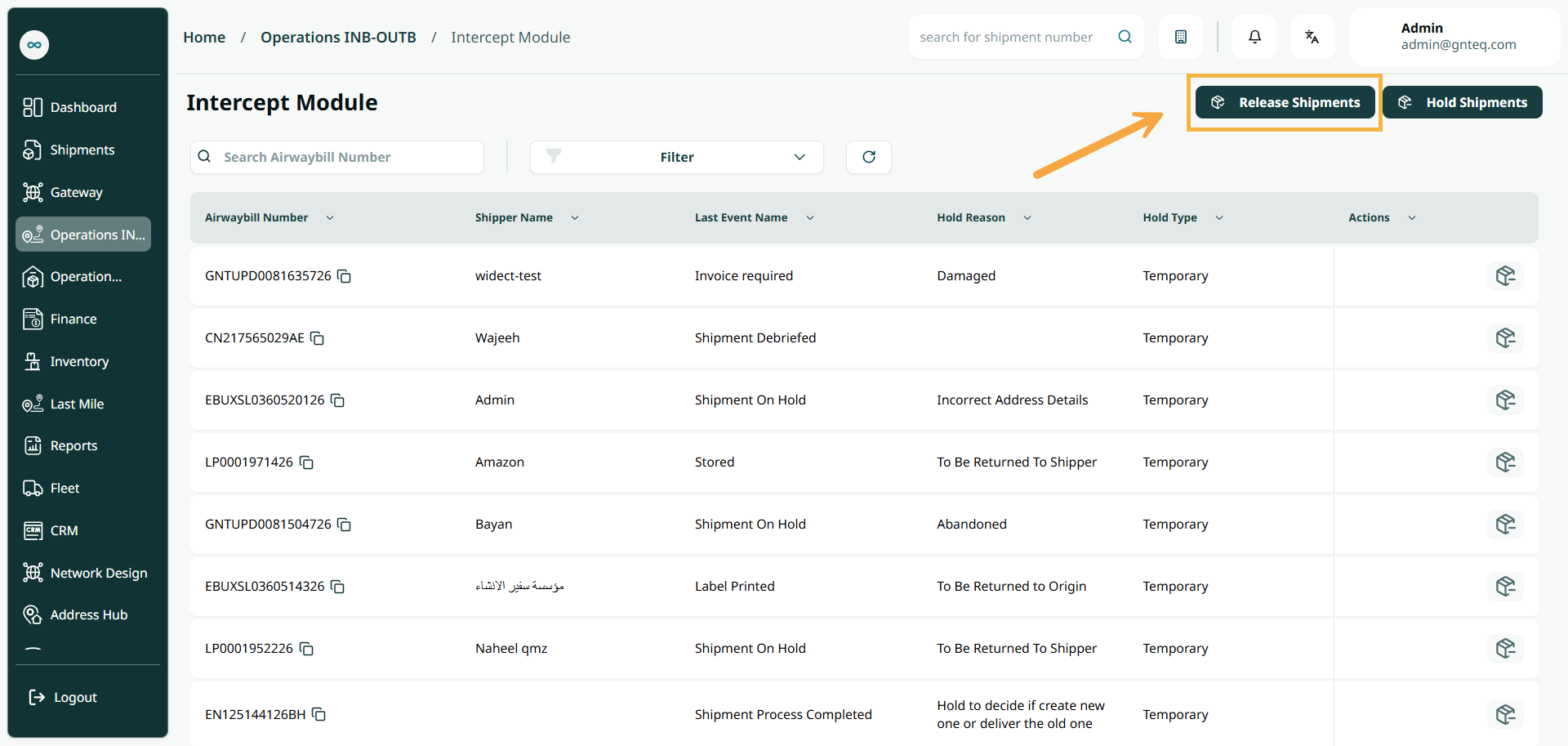
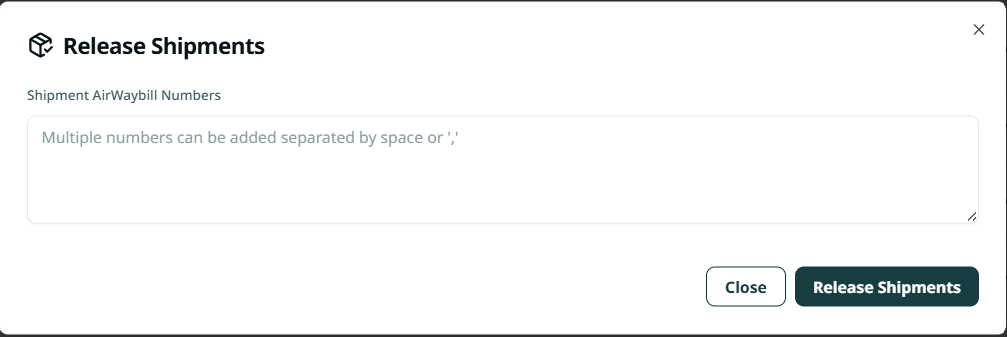
The user can release held shipments for any reason after verifying or modifying them by navigating to the Intercept screen via the Operations module and clicking on the Release Shipments button as follows:
-
Shipment Numbers: This field represents the numbers of the shipments for which the hold will be released.
By clicking Release Shipments, the shipments will be successfully released.