.png)
1. Address
1.1 Dashboard
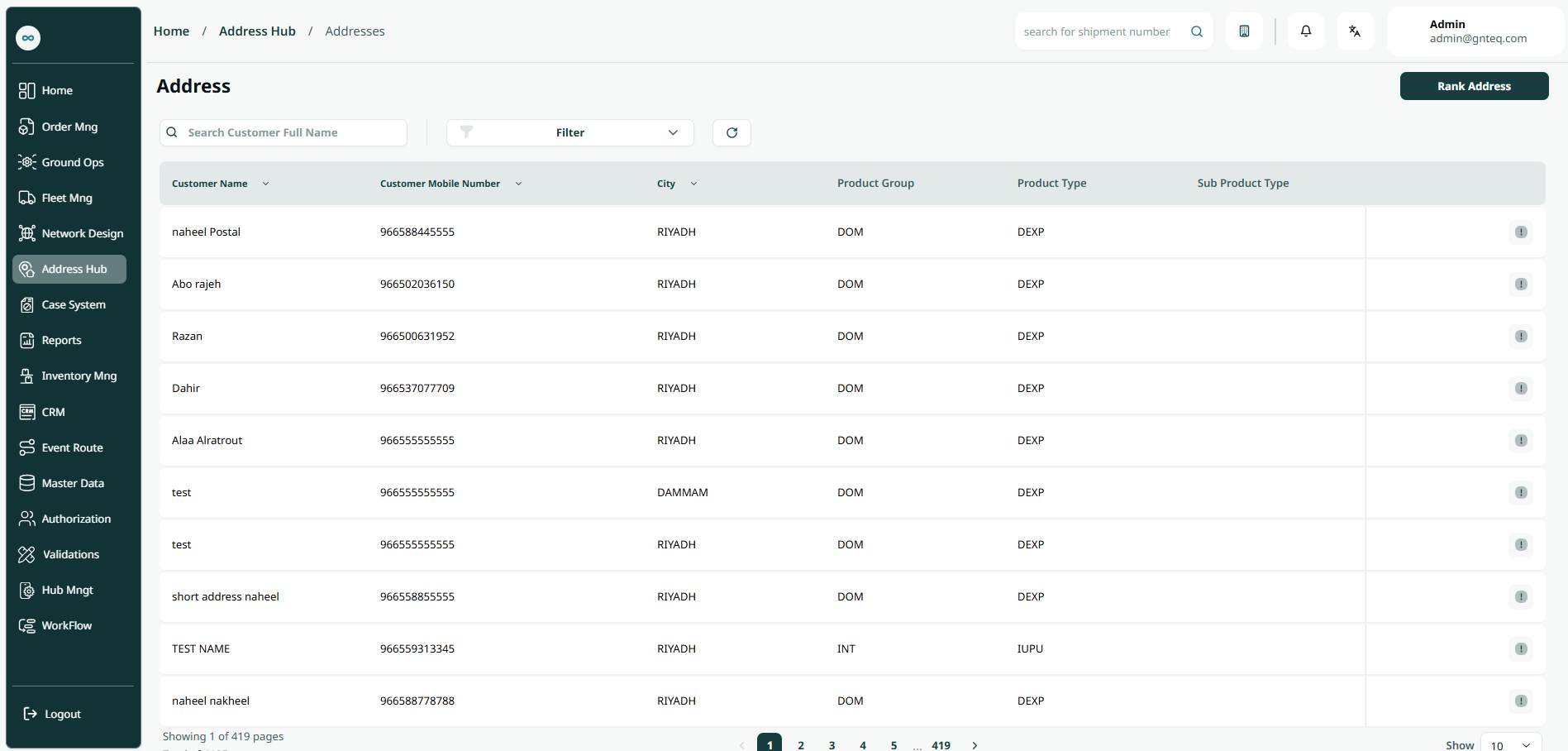
The user can view the defined addresses in the system by navigating to the ‘Address’ screen in the Address Hub from the left navigation panel as follows:
-
Rank Address: the user can get the ranking score by clicking on Rank Address.
-
Filters: the user can search for the address by the customer name, city name, customer mobile number,…..etc.
-
Search: the user can search for the address by typing the customer full name.
-
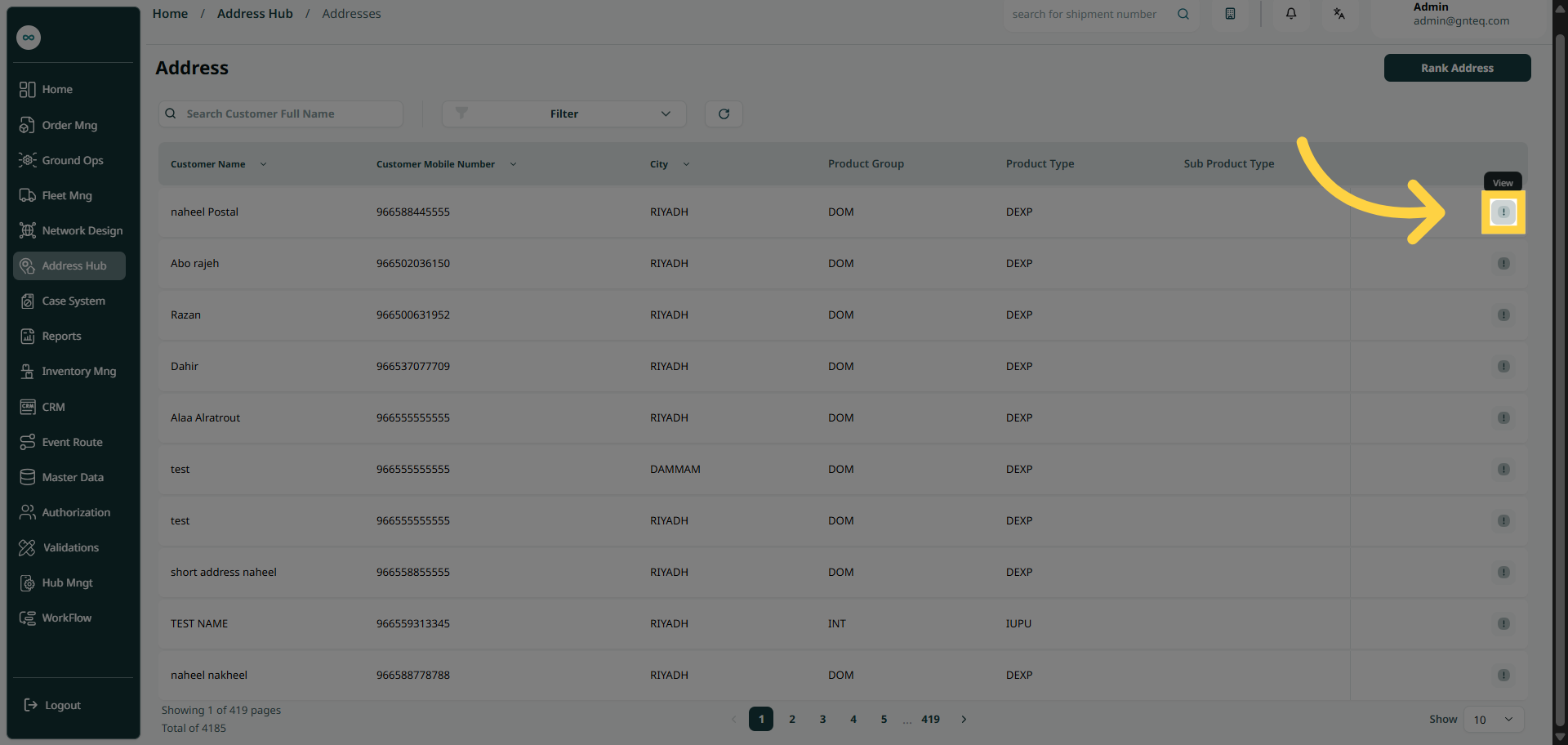
Action: by clicking on this button, the user can view details of the address.
1.1.1 View Details
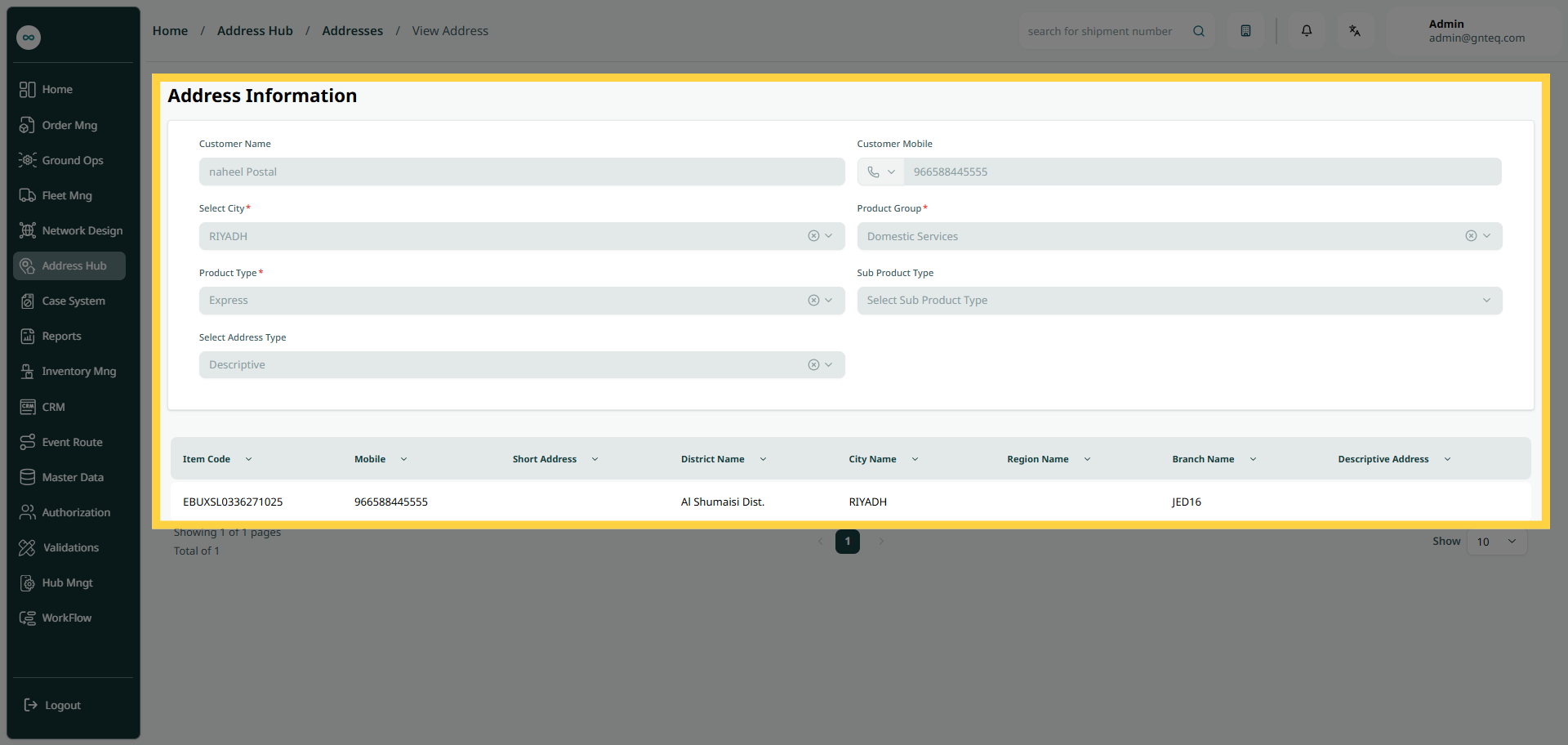
The user can view details of a certain address in the system by navigating to the ‘Address’ screen in the Address Hub by clicking on View Details From Actions.