.png)
1. Cumulative Invoices
1.1 Dashboard
The supervisor can view the defined cumulative invoices in the system by navigating to the ‘Cumulative Invoices’ screen in the Fainance module from the left navigation panel as follows:
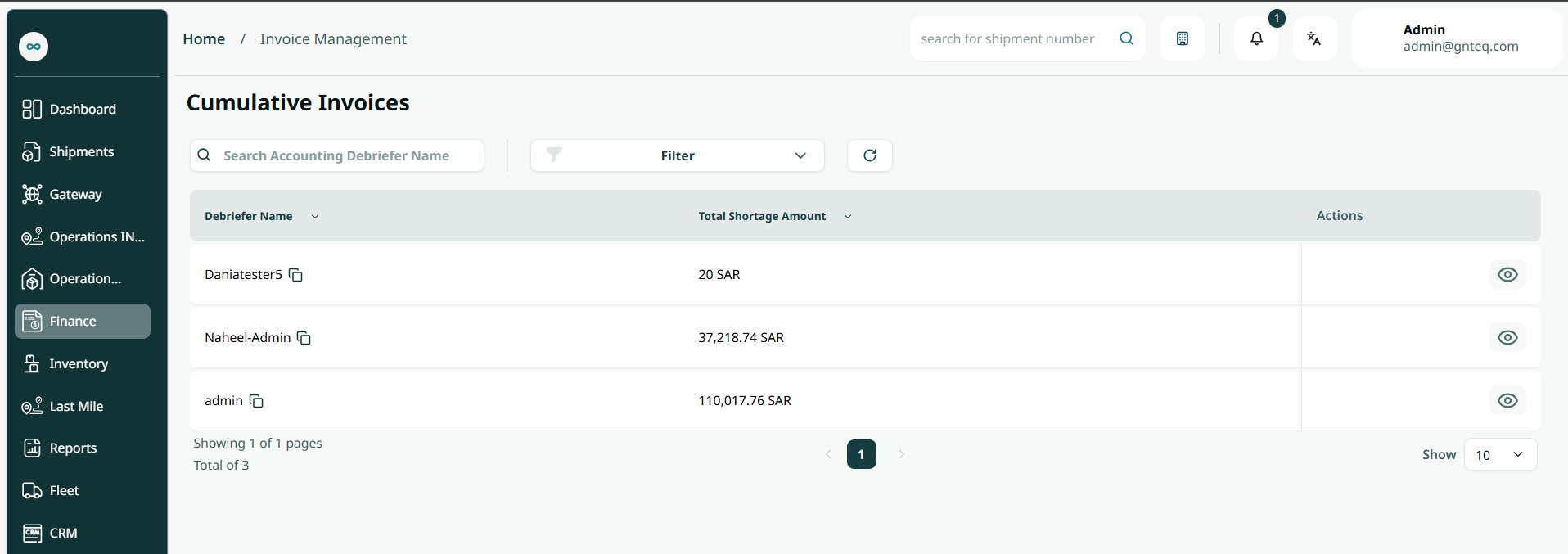
-
Search: the user can search for the accounting debriefing name.
-
Rows Per Page: the user can select the number of items to show on each page..
-
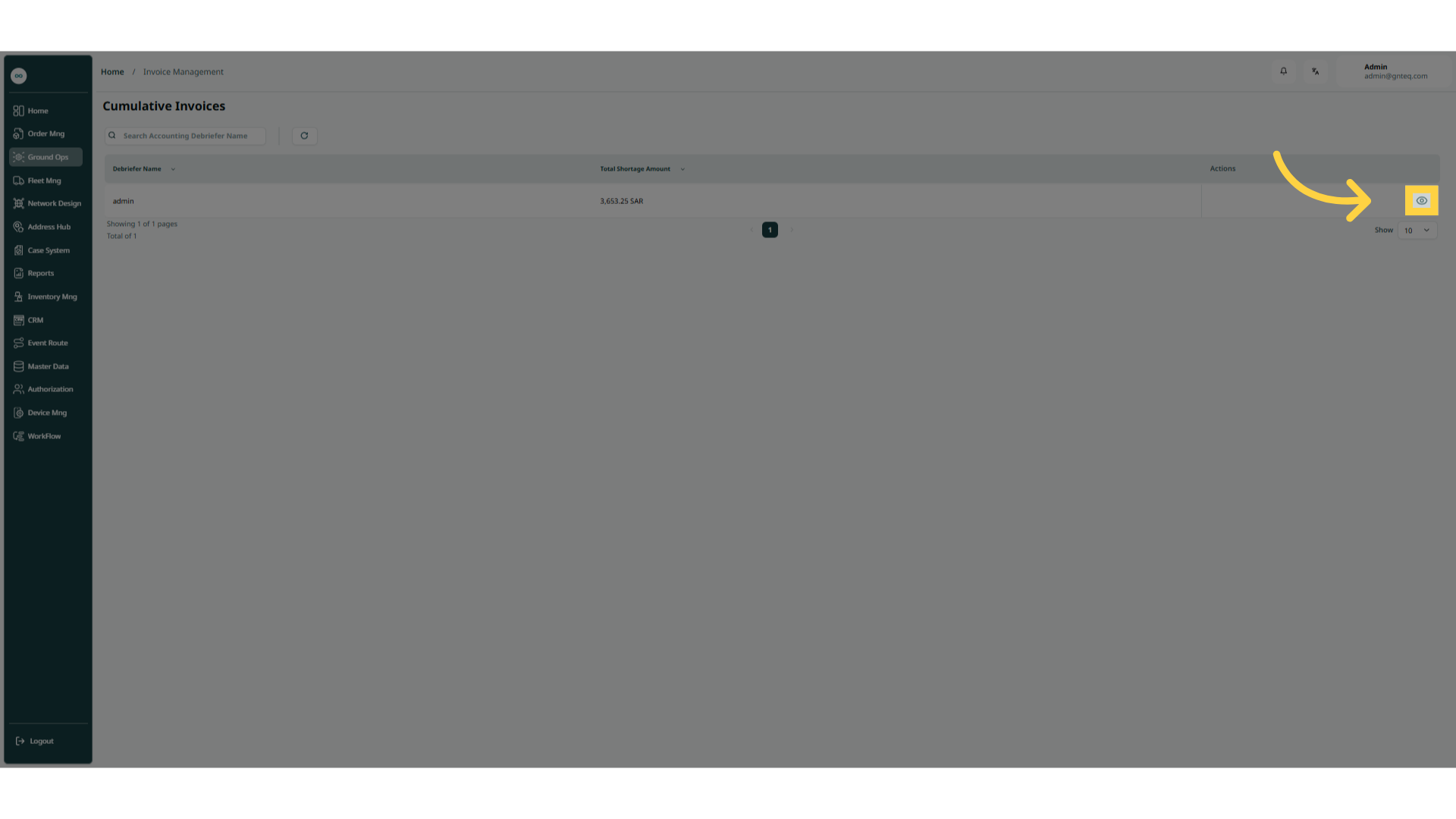
Action: by clicking on this button, the user can view details.
1.1.1 View Details
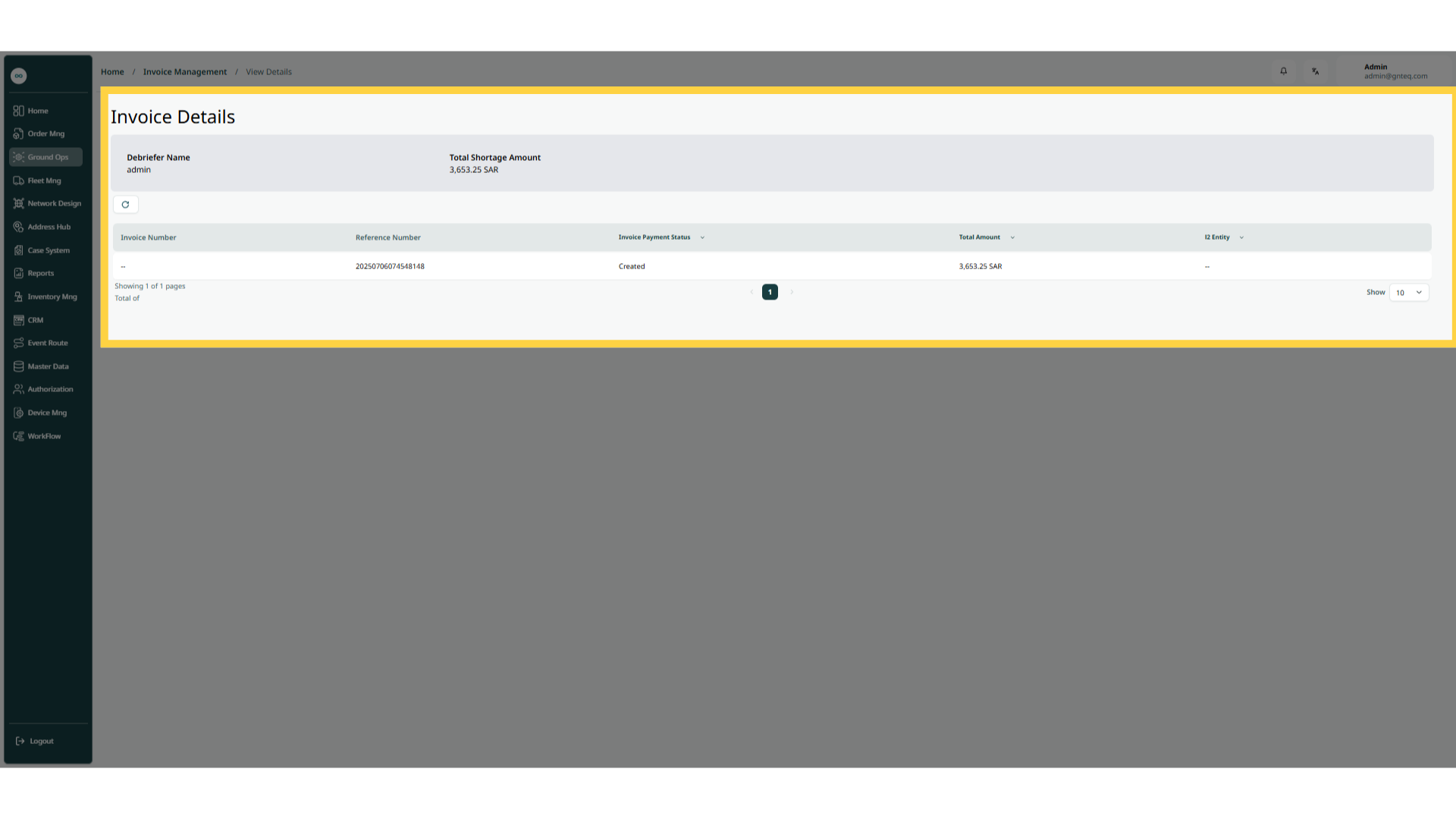
The supervisor can view details by navigating to the ‘Cumulative Invoices’ screen via the Fainance module and clicking on View Details from Actions as follows: