.png)
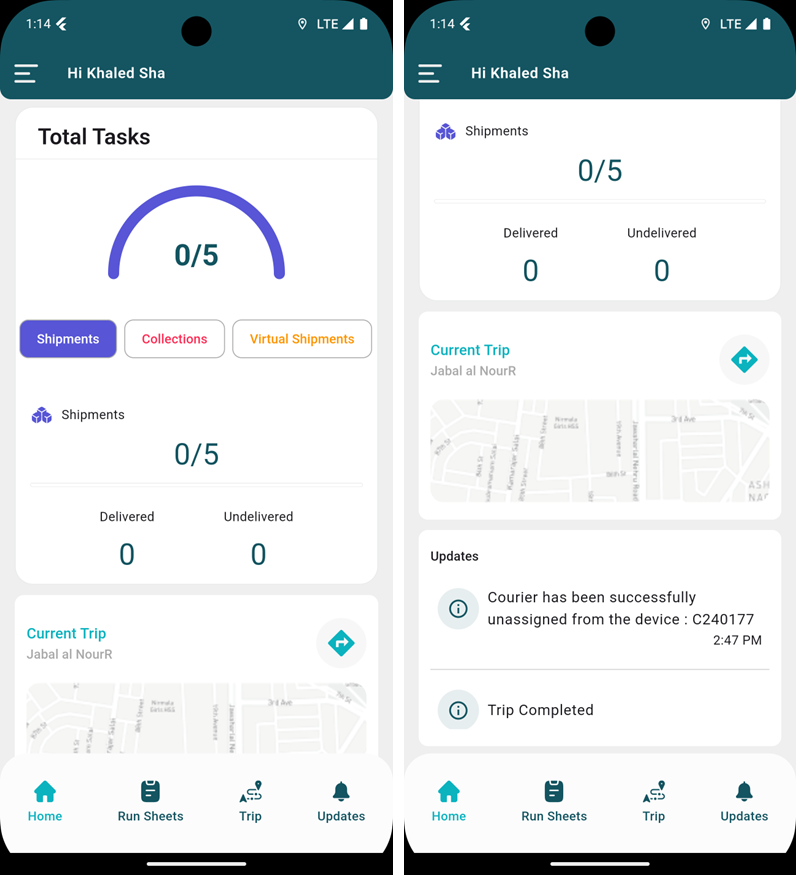
This tab allows courier to view detailed information about total tasks, momrah, deliveries, and collections. Users can also see the current trip map and receive updates that will be assigned when the user on an active trip.
1. Dashboard
The courier can view detailed information about total tasks, momrah, deliveries, and collections, the courier can also see the current trip map and receive updates that will be assigned when the courier is on an active trip.

-
Shipments: the courier can see the number of shipments assigned and the shipments that have been delivered or not delivered.

-
Virtual Shipments: the courier can see the number of tasks that have been assigned related to virtual shipments.

-
Parcel Stations: the courier can see the number of shipments for the parcel stations and see the shipments that have been delivered, not delivered, picked up, and not picked up.
-
Collections: the courier can see the number of capture-type tasks that have been captured or not captured.
-
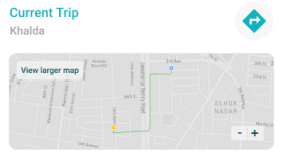
Current Trip: the courier can view details of the current active trip.
-
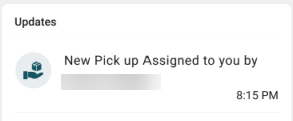
Updates: the courier can see the different notifications and the time of the notification e.g: new pick up assigned, new momrah assigned.

-
Close Trip: the courier can close the trip to be ended at any time, either to complete all tasks or for a specific reason. The remaining tasks will automatically be rescheduled for the next day.